The TBX Maintenance tools connect your workflows in one place. Everything works together—so your shop works better.
TBX reduces administrative burden, minimizes compliance risk, and gets aircraft out the door faster.
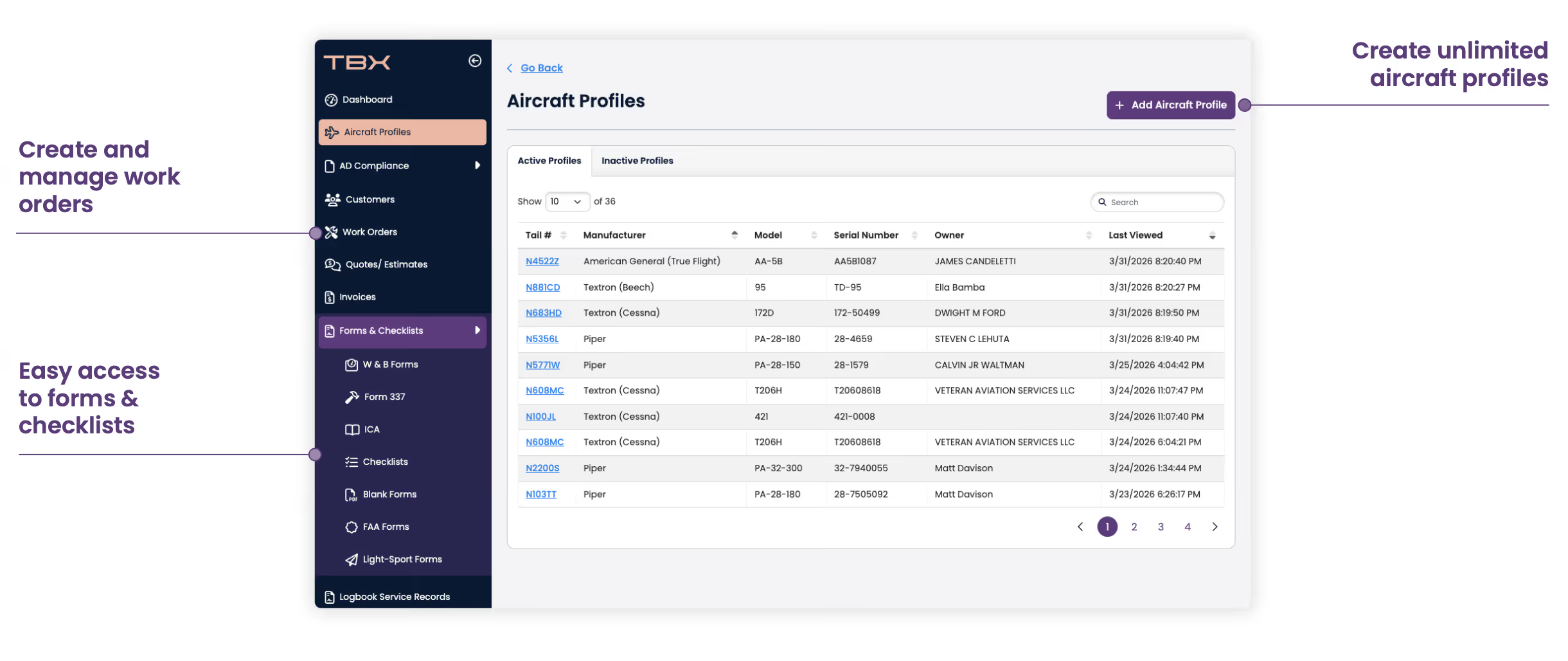
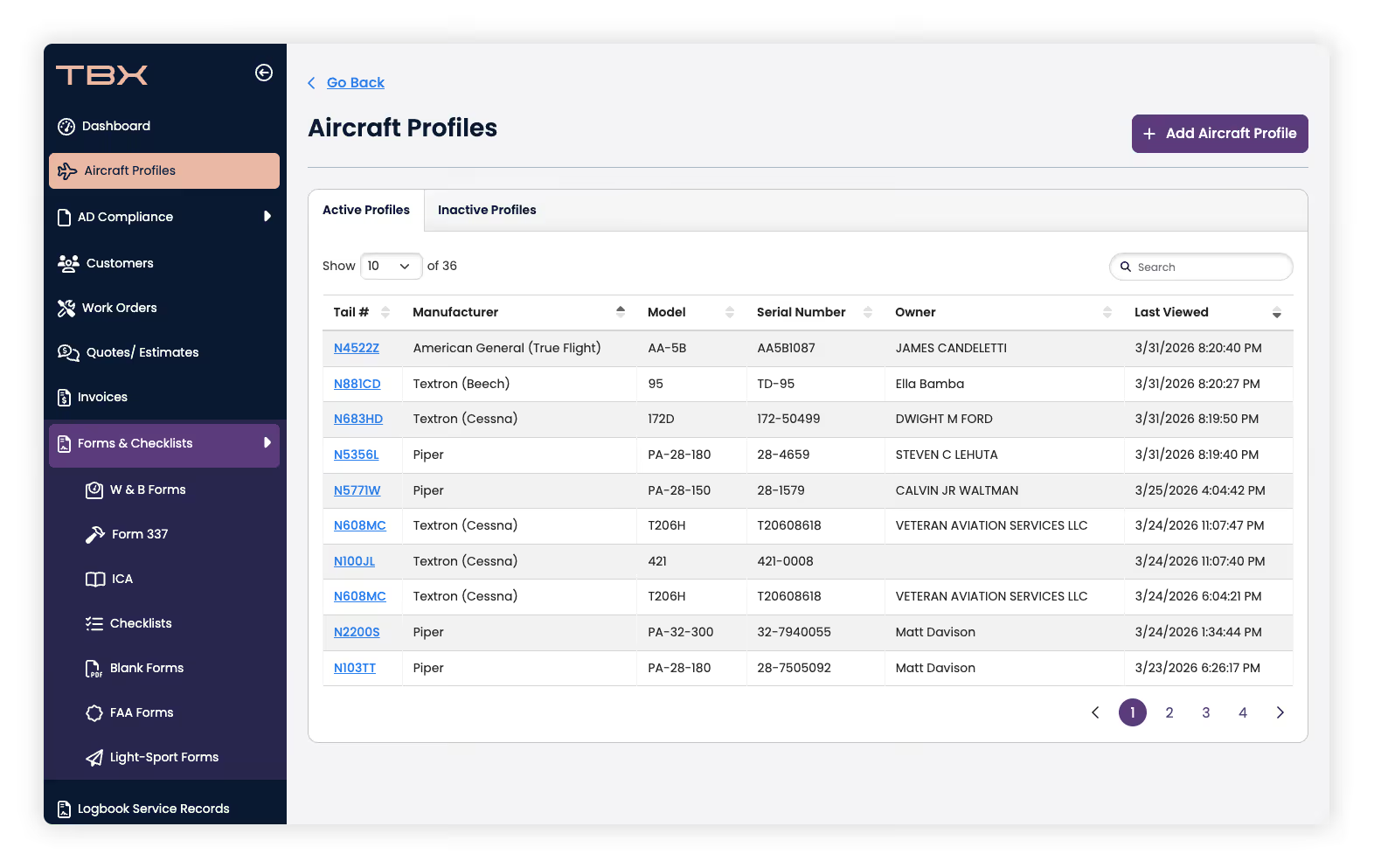
Build complete aircraft profiles to stay ahead of maintenance, inspections, and compliance.
Create and manage inspections and shopwork—including corrective actions, notes, labor rates, and required parts—all in one system.
Track inventory, vendors, part status, documentation, and costs with clarity and control.
Access all service documents tied directly to AD compliance and maintenance activity.
Use standard 100-hour or aircraft-specific checklists—or customize your own.
Add your entire team to improve collaboration and workflow efficiency.
Design, save, and print full- or quarter-pagelogbook labels directly from TBX.
Automatically calculate and manage W&B forms and revisions.
Digitally complete Form 337s and link them directly to ICA checklists.
Build a reusable library of maintenance releases for quick, consistent access.
Generate IA activity reports quickly using workorder history.

TBX Mx+ helps you spend less time managing paperwork—and more time doing quality maintenance.

Creating a profile is quick—enter the N-number, verify FAA registry data, and add components like engines and propellers. You can run your first AD report within minutes and set up tracking shortly after.
Yes. TBX includes a logbook feature compatible with standard formats. While text customization is currently limited, enhanced editing capabilities are planned.
Currently, tracking can be managed using the “Next Due Tracker,” but full lifecycle and back-to-origin tracking is not yet fully supported.
TBX is already used by many Part 135 operations for AD tracking and will expand support further with the upcoming maintenance package.
Get hands-on access to TBX and see if it fits your workflow.


